
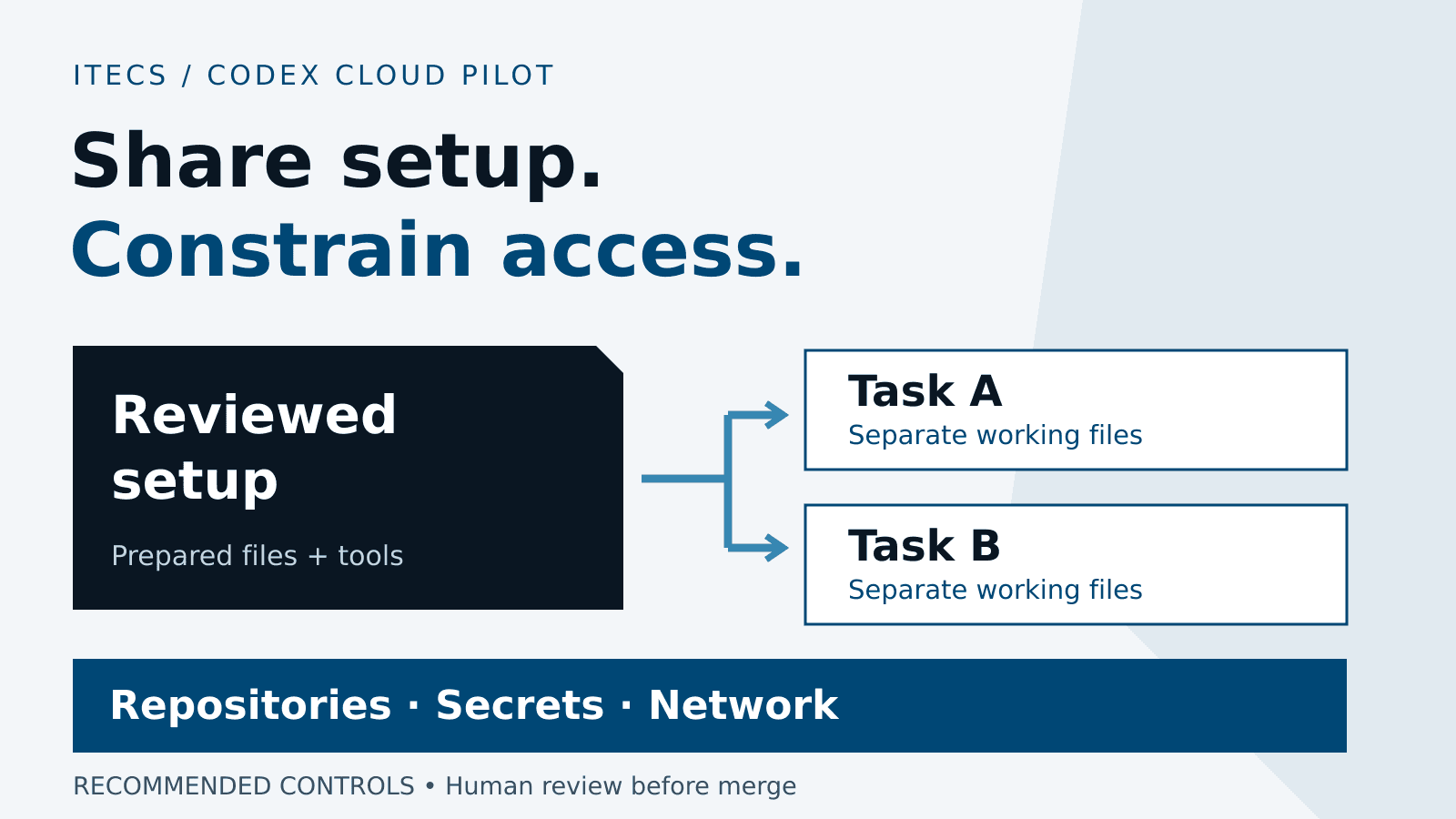
Pilot Codex Cloud by sharing a reviewed development setup, not a developer's unrestricted access. Begin with one nonproduction repository, named environment owners, narrowly scoped credentials and approved network destinations. Prove that useful work succeeds and prohibited access fails before giving a wider audience permission to run tasks.
Reusable setup can remove repeated installation work, but it can also repeat a mistake: an overpowered credential, sensitive file or broad private-network connection can become part of many tasks. The important decision is not simply whether the environment starts. It is what every task created from it can read, change and reach.
This guide covers the current shared Codex Cloud environment model, using official documentation checked September 30, 2026. OpenAI distinguishes it from Codex Cloud Legacy. The pilot controls, example and acceptance criteria below are ITECS recommendations, not claims that every control is automatic or that a customer deployment has achieved these results.
Confirm eligibility and separate the access decisions
Verify the intended Enterprise workspace, member entitlement, rollout availability and source-system connection with an administrator. The admin rollout guide says Enterprise Cloud access is off by default, while previously enabled Cloud settings carry forward. Do not assume a local Codex entitlement enables hosted execution, or that local device policy follows the task into the cloud.
Review two separate permissions: Use Codex in the cloud allows task execution; Manage workspace environments governs creation and editing of workspace-shared environments. The latter requires Cloud access and is off by default. A user can still manage personal environments without the shared-environment management permission. OpenAI's role guidance makes this distinction explicit.
Name a technical owner and backup for each environment, a security approver for access changes and a repository owner for code decisions. Record its purpose, allowed audience, approved data classification, review date and retirement trigger. Separately verify repository permissions, connected-service permissions, provider retention terms and any residency commitments. A workspace role is not permission to use every connected system.
Prepare only the repositories and dependencies the task needs
In the current flow, select Cloud, create an environment, choose approved GitHub repositories and let Codex prepare and test the setup. Review the resulting configuration and files before publishing. OpenAI's Cloud overview describes this preparation-to-task workflow. For a pilot, choose a small repository with reproducible tests rather than a convenient copy of an entire engineering workspace.
Use reviewed manifests and lockfiles, approved registries and explicit runtime versions. Inspect install scripts, repository instructions and downloaded tools as executable inputs. A README or dependency error cannot authorize a new credential, an unapproved download host or a production action. Require review of changes to those inputs; keep source changes in a normal coding branch rather than hiding them in setup state.
The environment guide distinguishes three actions: saving configuration, publishing the prepared filesystem for new tasks, and sharing who can use the environment. Audit the prepared files before sharing. Remove customer exports, local credential caches, private keys and unrelated repositories. Task isolation does not make sensitive material in a shared starting image appropriate to distribute.
Choose the right credential path and verify its lifetime
OpenAI documents direct environment variables and network secrets as different mechanisms. Direct values are readable by programs. Network secrets use a placeholder and proxy substitution for allowed HTTPS destinations on port 443, during setup and tasks, rather than placing the raw value in a local process or file. Adding an environment-owned network secret also adds its destinations to restricted internet access; review the resulting network policy, not just the credential field.
Prefer short-lived, task-scoped credentials where the provider supports them. Codex Cloud documents OIDC connections for obtaining short-lived cloud credentials, available by request for Enterprise workspaces. Configure the provider trust conditions and resource permissions deliberately, then test one allowed and one denied operation. Do not describe a stored network secret as short-lived merely because the VM is temporary: expiry, rotation and revocation must be verified separately.
Where access should follow a person, consider the documented personal-value requirements instead of an environment-owned shared credential. Sharing the requirement does not share that person's vault value. Still inspect outputs and prepared files: an application can create derived tokens or write sensitive responses to disk. Keep credentials out of prompts, source control, setup reports and test artifacts; retain identifiers and access decisions, not secret values, as evidence.
Restrict outbound access without confusing reachability with permission
Start with the exact destinations required for dependency installation and the validation task. Review the package-manager preset rather than assuming it permits only one registry. Add required download hosts deliberately; do not switch to unrestricted access just to make an unexplained failure disappear. A reachable destination still needs service-side authentication and authorization.
Check environment networking alongside Enterprise Agent Security requirements. Managed command networking does not, by itself, disable hosted web search, apps or MCP tools. Approval and sandbox settings matter too: documented permitted full sandbox escalation can bypass the managed command proxy. Test the actual permitted execution paths, not just a successful blocked request in the ordinary shell.
For private services, the current environment guide documents Tailscale VPN access to HTTP or HTTPS services using IPv4 or names that already resolve to IPv4. It does not add private DNS, SSH or native database-protocol support. Shared tasks use the environment's VPN identity. Apply narrow VPN access rules and service authorization as well as the environment's destination policy; joining the network is not permission to reach everything on it.
The documented VPN setup uses a reusable, ephemeral Tailscale auth key. Reusable enrollment and ephemeral devices are different properties: device cleanup is not proof that the enrollment key or service permissions have been revoked. Assign an owner for that key and test its removal. If the pilot requires an unsupported connection, redesign the bounded task or use an approved alternative workflow rather than promising connectivity the product does not document.
Run a nonproduction task that tests both work and boundaries
Illustrative pilot: use an internal order-service test repository with invented records. Ask Codex to fix a date-parsing bug, add regression tests and produce a patch on a designated branch. Permit the private package registry and one read-only staging HTTPS endpoint. Exclude production, customer datasets, deployment credentials, automatic merge and automatic release.
First establish the human-run baseline and known expected outputs. Prepare the environment, review setup logs, then start a fresh task from the published setup. Run the test suite and lint checks, inspect the diff, and confirm that the agent did not weaken tests or broaden dependencies to obtain a passing result. Independently rerun important checks in the normal CI pipeline; an agent's summary is not a test receipt.
Add harmless negative cases using assets you own: an out-of-scope repository, a forbidden destination, an expired token, a staging write attempted with read-only credentials and an unapproved user's attempt to start a task. Require an enforced denial and usable evidence, not only a refusal in the final answer. Stop the pilot on unexpected access or sensitive output. The AI agent evaluation guide explains how to evaluate the sequence of actions as well as the answer.
Publish to a controlled audience and verify task isolation
Keep the environment private while its owner prepares it. The documented sharing picker offers Only me or the workspace; do not assume it provides a separate per-environment group allowlist. To limit a pilot, verify effective Cloud permissions for the intended role-based group and check whether other roles already grant access. If workspace sharing would expose the setup beyond the approved audience, keep it private until an acceptable boundary is demonstrated.
Grant shared-environment management only to designated maintainers. Test with a normal pilot member, a maintainer and an excluded user. Inspect the credentials, prepared files, cloud identities and VPN connection each can actually use. Repository access and personal connections depend on the account running the task, but environment-owned resources deserve their own review.
Each new task has a separate workspace; using a shared setup does not grant access to a colleague's task or authority to edit the environment. Demonstrate this with two synthetic tasks and different harmless marker files. Separately check the shared systems they both reach: separate working files do not create separate staging tenants, unique service identities or protection from conflicting writes to a shared endpoint.
Plan mobile continuation and recovery around source control
Create and publish environments on web or desktop first; mobile can select an available environment and continue a task. Reopening the same task continues its working state. Starting a new task creates separate work from the published setup. Apply the same review expectations on mobile: use it to follow progress or clarify a bounded request, not to waive a careful diff review on a small screen.
The current default VM recovery window is up to seven days after the last time a turn is started or the task is resumed. Treat this as a saved-state recovery limit, not a backup strategy or a promise about conversation-history retention. Commit important work to the approved branch and save necessary test evidence throughout the task. Keep the accepted commit and recovery instructions outside the VM.
The new environment guide currently lists computer/browser use, GitLab and self-hosted GitHub Enterprise Server as unsupported. Check the exact Cloud experience before planning those workflows; Legacy documentation is not proof of support in the new one. Use the normal supported CI or browser-testing system for checks that the environment cannot perform.
Version the environment and rehearse revocation and rollback
Maintain a version record in your existing change system: environment identifier, owner, repository revisions, dependency lockfiles, install/start instructions, access-policy revision, credential references, test evidence, approver and publication time. This is an operating recommendation, not a claim that Codex supplies an automatic immutable version history or one-click environment rollback.
After editing and republishing, validate a new task. Existing tasks retain their own state, so republishing is not a demonstrated recall mechanism for old files or credentials. Before rollout, retain enough approved configuration and source checkpoints to recreate the previous known-good setup. Roll back application code through the normal release process separately from restoring an environment; neither action necessarily reverses external service writes.
For offboarding or an incident, remove the relevant workspace and repository access, revoke personal connections and credentials, and review environment-owned identities, secrets and VPN enrollment. Stop affected work where supported and verify access denial in both existing and new task paths. Changing visibility alone is not evidence that an issued token stopped working. Rotate shared credentials when needed, transfer ownership and preserve restricted evidence under the organization's retention policy.
Link task IDs, environment versions, actor identities, timestamps, approvals, executed checks, diffs and source-control commits. Correlate provider and repository audit records with the supported Compliance API evidence. Verify actual event coverage and retention in your account; do not promise that one export records every command or network request. Redact secrets and limit who can read the evidence.
Accept the pilot on dependable work, not demonstrations
Use the same bounded task set before and after adoption, repeat fresh starts and report failures as well as successes. Agree thresholds with the engineering and security owners before examining results. The scorecard below is a suggested acceptance framework, not a product benchmark.
Suggested pilot scorecard. Define the sample, observation window and acceptance threshold before running the trial.
- Setup reliability
- Fresh tasks reaching the verified ready state divided by all fresh-start attempts. Record setup time, retries and manual repairs; do not omit failed starts.
- Accepted task completion
- Assigned tasks meeting the prewritten acceptance criteria after independent tests and review, divided by all attempted tasks. Record unresolved and abandoned work.
- Review effort
- Reviewer time per accepted task, including rejected patches and rework. Compare like-for-like tasks with the human baseline, not generated lines of code.
- Access-control failures
- Count unauthorized operations that succeed, unexpected credential exposure and missing required evidence. Any successful prohibited action pauses expansion; a finite clean test set is not proof of universal safety.
Expand one repository, audience or service connection at a time only when owners accept the evidence. If setup is reliable but review effort rises, narrow the assigned task. If an unauthorized operation succeeds, pause expansion and correct the boundary before repeating the test. A useful pilot may remain a small, well-controlled tool rather than becoming the default environment for every team.
ITECS can help connect this setup to AI DevOps delivery, governance planning and ChatGPT and Codex training. Bring a sanitized description of one workflow, its systems and its approval owner to the first conversation—not repository credentials or private client files.