01
Governance
Teams adopt tools faster than leadership can set policies.
ITECS defines approved use cases, data rules, human review paths, and operating ownership before AI spreads.
AI Automation
We automate time-consuming workflows such as lead follow-up, data entry, invoice processing, and scheduling, then measure results against the baseline agreed during discovery.
Your team shouldn't waste hours on tasks a machine can handle. We map your repetitive workflows — lead follow-ups, invoice processing, data entry, appointment scheduling — and automate them with AI tools like Zapier, Make, Microsoft Power Automate, and custom integrations. Then we monitor everything so it keeps running smoothly.
The Stakes
Most organizations do not need another disconnected AI experiment. They need a managed operating model that tells people what is approved, where data can go, which workflows deserve investment, and who owns reliability after launch.
ITECS Position
Managed Intelligence applies ITECS's 24-year managed IT and cybersecurity operating model to AI systems, prompts, agents, connectors, and employee adoption.
Teams adopt tools faster than leadership can set policies.
ITECS defines approved use cases, data rules, human review paths, and operating ownership before AI spreads.
Sensitive data moves into public prompts, unmanaged plugins, and disconnected workspaces.
ITECS brings managed-IT discipline to access, identity, data handling, and vendor selection.
AI experiments consume subscriptions and meetings without a measurable operating case.
ITECS starts with workflows, cost of delay, and measurable outcomes before recommending build work.
Useful pilots stall when they have to connect with Microsoft 365, CRM, service, or finance systems.
ITECS designs automation around the systems, permissions, approvals, and support model already in place.
Illustrative Planning Signal
Your office manager copies lead info from web forms into the CRM by hand. Your dispatcher assigns service calls from a spreadsheet and texts confirmations one at a time. Your bookkeeper re-enters invoice data from emails into QuickBooks every afternoon. These tasks run your business — but they drain the people doing them.
Every manual handoff is a place where leads slip through, data gets mistyped, and follow-ups get forgotten. Your competitors automate these workflows and respond to leads in minutes. Your team responds in hours — or not at all. The gap widens every month you wait.
Illustrative Planning Scenario
This modeled example shows how an engagement could be scoped; it is not presented as a reported client result.
A 30-person HVAC company in Richardson: could rely on a shared spreadsheet, group texts, a CRM, email, and a paper calendar for dispatch and lead follow-up, creating duplicate entry and avoidable delay.
Modeled outcome: A scoped dispatch-to-invoice workflow could connect form capture, CRM entry, assignment, confirmation, and invoicing. Response-time and labor targets would be baselined and tested before production rollout.
Capabilities
We identify the manual tasks your team does every day — lead follow-ups, data entry, scheduling, report generation — and calculate how much time and money each one costs.
Using Zapier, Make.com, Power Automate, and custom AI, we connect your CRM, email, invoicing, and helpdesk systems into automated workflows that run without human intervention.
For managed production scopes, we monitor agreed health signals, investigate alerts, and optimize against measured results. Additional workflows are tested and released through the documented change process.
Automation Pipeline
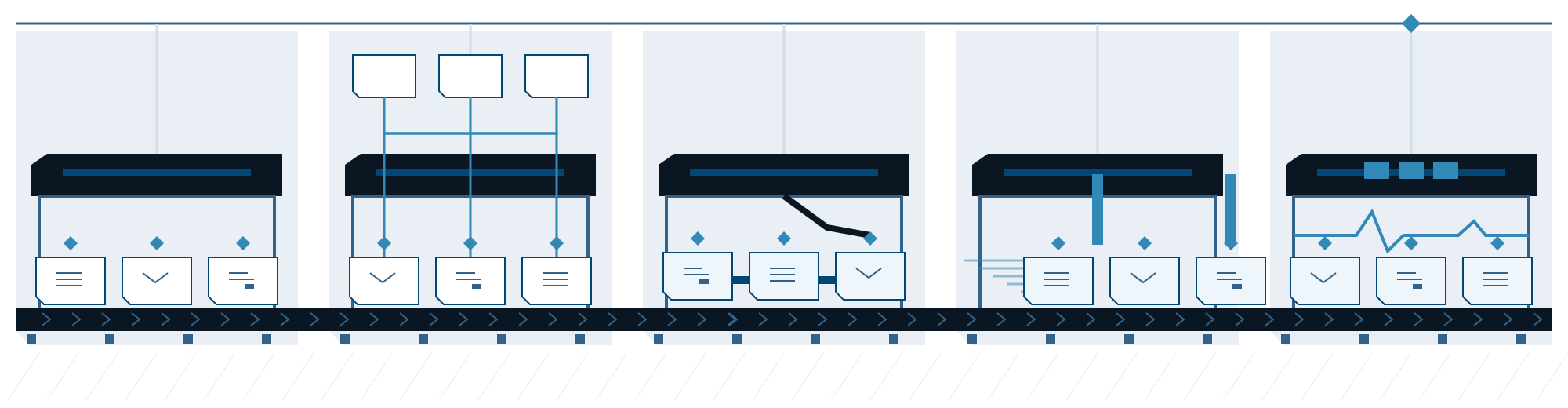
Audit
Identify repetitive workflows
Map
Design automation pipelines
Build
Connect tools with AI logic
Deploy
Launch and verify automations
Monitor
Scoped signals and escalation
Dallas–Fort Worth Workflow Planning
Start with a repeatable handoff that has a clear owner and an observable result. A Dallas–Fort Worth business does not need an AI agent for every process: fixed rules, an agent build, and ongoing managed operations solve different parts of the problem.
When the input, rule, and next action are known, start with conventional workflow automation. Map the trigger, connected systems, and exceptions first. If the process itself is unclear, use consulting to define it before selecting tools.
Explore AI workflow consultingConsider a custom agent when the task needs to interpret variable documents or requests. Define approved inputs, test cases, and human approval points. Keep consequential actions outside its authority until the workflow has been validated.
Explore custom AI agent buildsOnce a workflow is in use, someone must own access, failures, changes, and service review. Discuss managed intelligence when that continuing operating responsibility is needed; building a workflow and operating it are separate scopes.
Explore managed intelligenceDescribe what starts the work, which systems it crosses, approximate volume, the person responsible, and the exceptions that require approval. Record the current completion time or error rate if you have it, so the pilot has a baseline. Share only a high-level outline initially—not credentials, client records, or production exports.
Discuss a workflow scopeSecurity
ITECS documents the data flow, access, retention, review, and recovery controls required for the selected workflow and platforms. ITECS AI is backed by ITECS — a Dallas-based cybersecurity MSP operating since 2002 with 24 years of enterprise security experience.
Pricing
DIY automation can become difficult to own as connectors, exceptions, and workflow volume grow. Here is the design comparison ITECS validates for a managed automation scope.
Planning comparison only. Scope, timing, and outcomes vary by data, workflow, approvals, adoption, and implementation conditions.
Outcome hypothesis to validate
ITECS establishes the current labor, error, throughput, and response-time baseline, then reports the observed outcome against the targets approved for the workflow.
This is not a reported client result or guarantee. Baseline the current workflow and measure accepted work before relying on it.
Engagement Targets
Illustrative targets to baseline and validate during discovery — not reported client results or performance guarantees.
FAQ
A client-led Guided Build Sprint (4 sessions) is $2,400; the Guided Build Intensive (8 sessions) is $4,400. ITECS-delivered local agents start with the Local Agent Sprint at $4,500–$9,500. Production operations after launch use the separate Agent Operations ladder.
The most common automations we build for Dallas teams: lead follow-up emails and texts, appointment scheduling and reminders, invoice processing and data entry, customer onboarding sequences, report generation, and helpdesk ticket routing. If your team does it repeatedly, we can probably automate it.
Yes. ITECS can build sequences that follow up by email or text, apply approved qualification criteria, and route leads to the sales team. The target response time and improvement baseline are defined and measured for each workflow.
No. We integrate with the tools you already use — HubSpot, QuickBooks, Outlook, Teams, Slack, your CRM, your helpdesk. The whole point is connecting your existing stack, not replacing it.
AI business automation means using AI to run the repetitive operations work a company does every day — lead follow-up, invoicing, data entry, scheduling, customer onboarding — without a person driving each step. As a Dallas AI business automation provider, ITECS maps those workflows, builds the automations on tools like Zapier, Make, and Power Automate, and then monitors them so they keep running. You get the outcome — hours back and faster response times — without hiring automation engineers.