
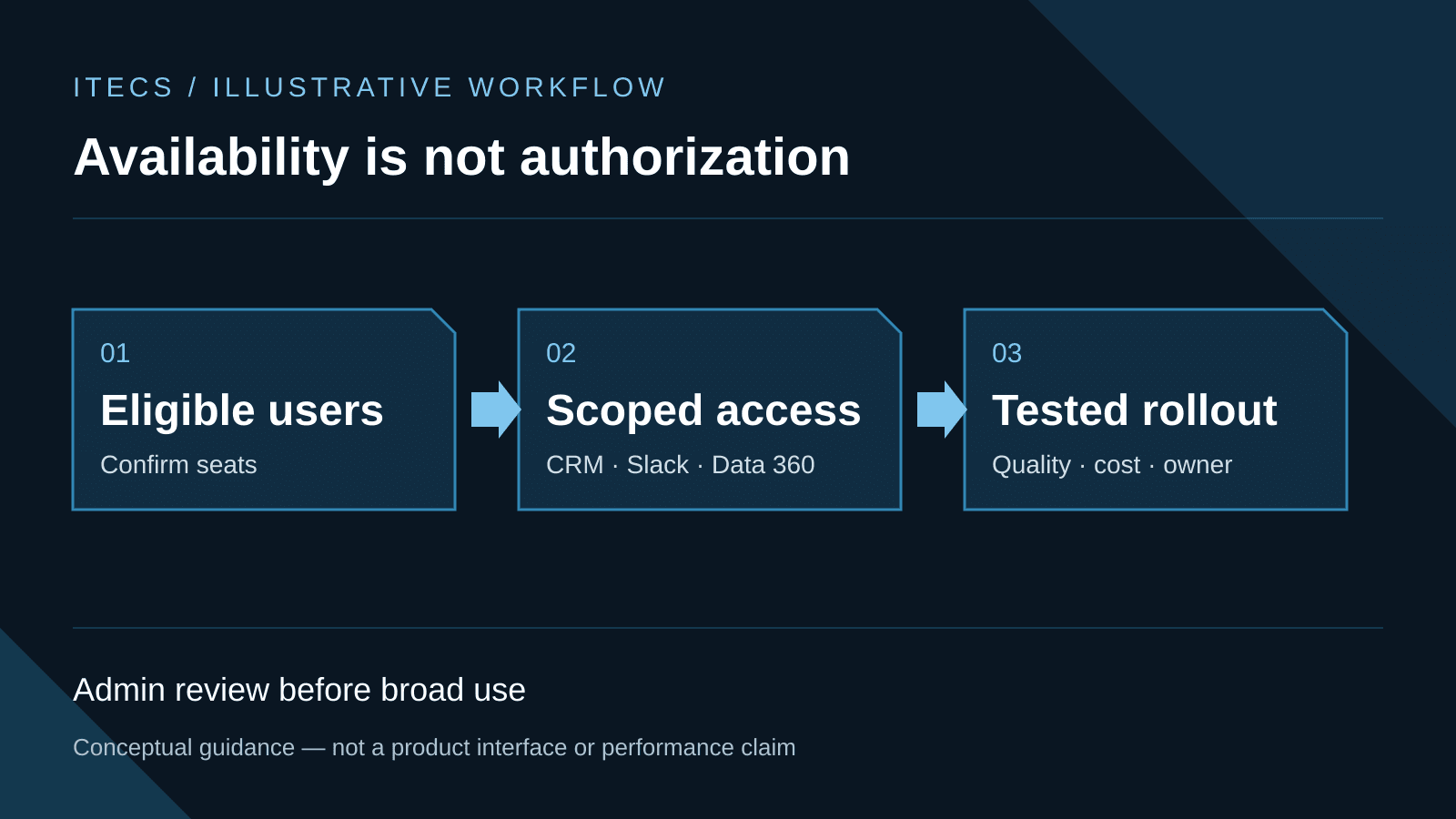
Salesforce administrators should treat Agentforce Coworker's automatic enablement as a scheduled access change, not a completed governance decision. Salesforce says eligible organizations began receiving the feature on a rolling basis on August 4, 2026. Before users rely on it, leaders should confirm who is affected, narrow what each person can search, test answers against approved records, verify credit behavior, and name the people who own quality and escalation.
Automatic availability means eligible users may see Agentforce Coworker without an administrator manually launching the feature. It does not authorize the company to expose sensitive CRM, Slack, or Data 360 content, expand a user's underlying permissions, or let an AI agent take consequential action without review. Existing access may be technically respected and still be too broad, stale, or inappropriate for AI-assisted discovery. Governance must decide what availability alone cannot.
What Salesforce is enabling
Salesforce's automatic-enablement FAQ says the rollout applies to users with unmetered user-based AI entitlements. Administrators receive an email before enablement. In eligible organizations, an in-product banner confirms activation, an Ask button appears near Global Search, and Ask and Search modes can return AI-generated answers alongside permission-aware search results.
This is not a universal Salesforce change. The FAQ excludes organizations that have disabled generative AI, organizations with multi-dataspace or multi-org topologies, HIPAA, Health and Life Sciences, and government organizations, and usage-based Flex Foundation seats without unmetered user-based AI entitlements. Administrators should verify their own contract, org topology, AI settings, and notification rather than infer eligibility from an edition name.
Users who receive eligible entitlements after their organization's automatic-enablement period do not necessarily receive Coworker access automatically. Salesforce says administrators must manually provide those users access. That makes seat changes, new hires, transfers, and license removal part of the ongoing joiner-mover-leaver process.
The Summer '26 release notes describe Agentforce Coworker as a beta capability connected to Salesforce CRM with optional connections to Slack and Data 360. They also describe action-oriented behavior such as orchestrating agents and completing tasks. Search availability and action authority should therefore be governed separately. A user who may ask about an account does not automatically need authority to update it, message a customer, or invoke another agent.
Automatic availability is not data approval
Salesforce says Coworker respects user access permissions, existing governance, and data classification. That is an important enforcement layer, but it does not prove that today's permissions are appropriate. A sales manager may legitimately have broad access for an old reporting process. A shared Slack channel may contain confidential discussions. A default Data 360 data space may combine indexed material from systems with different owners and retention rules.
AI-assisted search can make already-permitted information easier to discover, combine, and summarize. The control question is therefore not only, 'Can Salesforce enforce this permission?' It is, 'Should this user receive this answer in this business context, from these records, for this purpose?' A focused data and AI readiness audit should resolve stale roles, inherited sharing, overshared channels, duplicate records, and unclear data ownership before broad rollout.
The nine-decision readiness checklist
Use this matrix before accepting automatic enablement for a broad population. Each decision needs an accountable owner and retained evidence. A setup toggle is not evidence that the control works.
| Decision | Administrator action | Launch evidence |
|---|---|---|
| Eligible users | Reconcile unmetered seats, access assignments, roles, and status | Named user list, entitlement source, exceptions, and owner |
| Search sources | Approve CRM objects; review Slack and Data 360 separately | Source register, data owner, classification, and retention rule |
| Least privilege | Narrow source permissions and keep the pilot read-only | Permission map, role tests, revoked-access test, and review date |
| Opt-out | Enable, defer, or disable based on unresolved control gaps | Decision record, approver, open gaps, and next decision date |
| Communication | Brief users and managers on sources, verification, and limits | Role guidance, acknowledgment, support path, and escalation route |
| Answer testing | Test approved, stale, conflicting, missing, and restricted records | Fixed question set, expected sources, results, and corrections |
| Monitoring | Measure accepted answers, corrections, incidents, and useful work | Quality sample, trend review, incident log, and change trigger |
| Ownership | Assign admin, data, security, business, and finance owners | RACI, disablement authority, support contact, and incident playbook |
| Billing | Verify seat, source, Data 360, and post-license credit behavior | Order form, license inventory, Digital Wallet check, and cost owner |
1. Confirm eligible seats and affected users
Export the users with unmetered user-based AI entitlements and reconcile them to the organization, business unit, role, employment status, and actual need. Check contractors, service accounts, integration users, dormant accounts, and people scheduled to change roles. Record which users will be included automatically and which later seat assignments require manual Coworker access.
Salesforce's Coworker setup guidance identifies the AI Search permission set license and the Access_Ai_Search permission set group as core user-access controls. Confirm the exact names and assignments in your org, because product labels and prerequisites can change during beta. Removing a seat, permission set group, or license can also change access and billing behavior in different ways.
2. Review CRM, Slack, and Data 360 search scope
Build a source register before connecting optional systems. For CRM, list searchable objects, fields, record-sharing rules, knowledge content, and sensitive classifications. For Slack, review connected workspaces, channel membership, private-channel expectations, retention, legal holds, and whether messages are an approved business record. For Data 360, record the selected data space, indexed objects, source systems, ingestion method, policy inheritance, owner, and credit model.
Start with default CRM search if it clears review. Do not connect Slack or additional Data 360 objects merely because the option exists. Each connection changes the evidence available to the model and may introduce a separate permission model, data-quality problem, or cost path.
3. Apply least privilege before testing
Create a pilot group around a defined job outcome, then give it only the records and Coworker permissions needed for that outcome. Review profiles, permission sets, permission set groups, sharing rules, role hierarchy, Data 360 policies, and Slack membership. Remove obsolete access at the source rather than hiding it with instructions that ask the model not to use it.
Separate search access from action access. Begin read-only. If a later workflow can write records or invoke agents, authorize each action independently, set approval and value thresholds, retain logs, and define reversal. A governed custom-agent model should make read, draft, write, send, and transact distinct permission decisions.
4. Decide whether to opt out
Salesforce says administrators can opt out before enablement through the notification email or through Setup under Agentforce Coworker and Opt Out of Auto Activation. After enablement, the Coworker toggle can be enabled or disabled from Agentforce Coworker Setup.
Opt out when the user list is unknown, permissions are under review, required stakeholders have not approved the data scope, billing cannot be reconciled, or the business cannot support testing and escalation. Opting out is a sequencing decision, not a rejection of the product. Document the control gaps, owner, target review date, and evidence required to turn it on later.
5. Communicate the change before users discover it
Tell affected users when the feature may appear, what Ask and Search modes do, which sources are approved, what data must not be entered or exposed, how answers must be verified, which actions remain prohibited, and where to report a problem. Managers need a separate briefing on review expectations and how to handle an employee who receives unexpected results.
Make the message role-specific. A service team needs guidance on customer and case data. Sales needs rules for opportunities, contacts, and account strategy. Executives need to know that a concise answer can still omit context. Administrators need the disablement, access-removal, and escalation steps.
6. Test answers against approved records
Create a test set from approved, current records that represent common work, ambiguous questions, permission boundaries, stale data, conflicting sources, missing evidence, and restricted records. For every question, define the expected source, acceptable answer elements, forbidden disclosures, and reviewer.
Run tests as users with different roles. Confirm that the same question produces appropriately different evidence when permissions differ. Review citations or source references where available, factual completeness, record freshness, unsupported conclusions, and refusal behavior. A fluent answer is not a passed test unless it matches the approved record and respects the intended boundary.
7. Monitor usage and answer quality
Track active pilot users, accepted answers, factual corrections, source failures, permission incidents, escalations, and work completed. Pair those measures with review effort and business impact. Search volume alone can reward curiosity without showing dependable value.
Use a sampled quality review after launch. Re-run the fixed test set when permissions, connected sources, data spaces, models, or Coworker releases change. Salesforce's beta status is itself a refresh trigger. If the organization cannot observe quality and incidents, broad availability should remain paused.
8. Document ownership and escalation
Name a Salesforce admin owner for configuration, a data owner for every connected source, a security or privacy reviewer for access and incidents, a business owner for acceptable answers, and a finance owner for credits and contract interpretation. Define who can disable Coworker, remove user access, disconnect a source, preserve evidence, notify users, and contact Salesforce Support.
Set escalation levels. A wrong low-impact internal answer may require correction and a test update. Unexpected restricted data, an unauthorized action, or a material customer-facing error should trigger immediate containment and the incident process. Record the question category, user role, source, output, decision, and remediation without creating a new uncontrolled copy of sensitive data.
9. Verify billing and credit behavior
The automatic-enablement FAQ says default CRM search and optional Slack search do not use Flex Credits or Data Services Credits for users with Agentforce 1 Edition or Agentforce for Sales, Service, or Industries seats. For users with unmetered user-based AI entitlements, usage shows 0% consumption in Digital Wallet and does not count toward contracted usage limits.
Data 360 is different. Salesforce says ingesting, processing, and indexing Data 360 content uses Flex Credits or Data Services Credits regardless of billing plan. If a user loses an eligible seat after enablement, Coworker access may remain through the primary Salesforce license while billing returns to the standard credit model. Verify those behaviors against the current order form, assigned licenses, connected sources, Digital Wallet, and Salesforce account team before expansion.
A controlled 30-day rollout
During the first week, confirm the notification, eligibility, Einstein prerequisites, seats, permission assignments, source register, opt-out decision, and owners. If any material boundary is unresolved, opt out or keep the user population narrow.
During week two, communicate the policy and run the fixed test set with a small group from two or three roles. Keep Slack and additional Data 360 sources disconnected until their access, governance, and credit paths pass review.
During weeks three and four, operate the pilot in read-only mode. Review sampled answers, incidents, corrections, adoption, useful work, and billing evidence. Correct source data and access controls before tuning instructions. Do not grant action authority merely because search answers are accurate.
At the decision gate, choose to stop, extend the pilot, broaden search access, connect another approved source, or authorize one narrowly bounded action. Record why, what evidence supports the decision, who approved it, and when it must be reviewed.
Agentforce Coworker can reduce the distance between a question and the business evidence needed to answer it. Automatic enablement reduces setup friction; it does not reduce accountability. The organizations that benefit will make seats, sources, permissions, quality, billing, and escalation visible before availability becomes routine use.